
All the tools you need in one interactive digital travel itinerary

Streamline your workflow, wow your clients

With Voyages Planner, enjoy a customizable, interactive digital itinerary your clients can access anytime. Save time, boost your brand, and elevate your travelers’ experience.

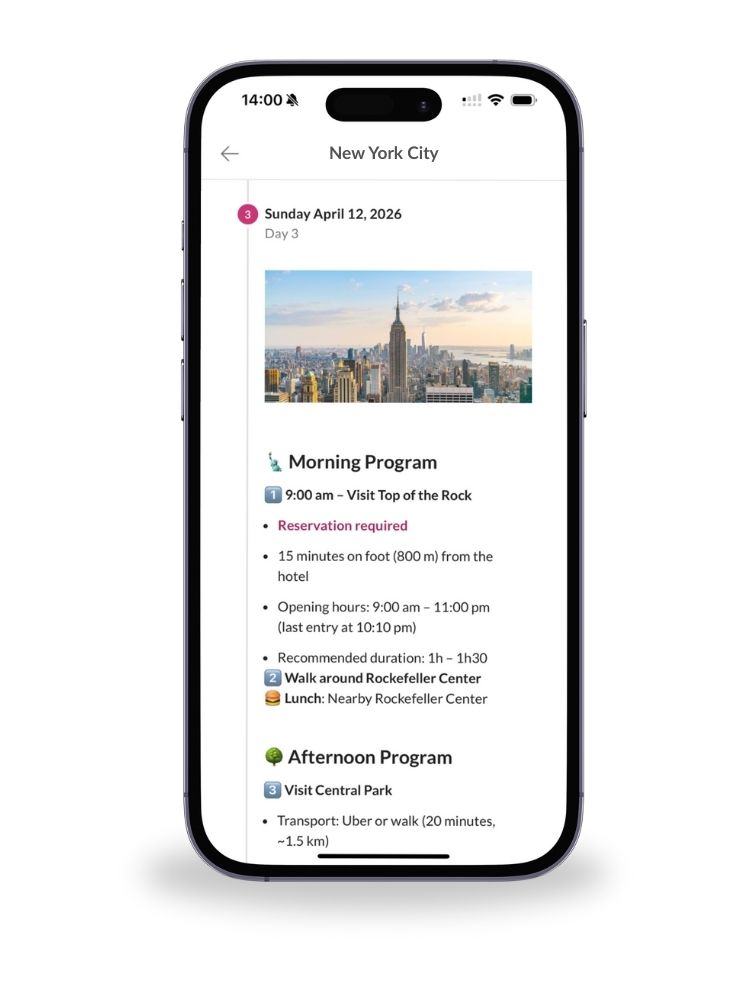
Voyages Planner fonctionnalités interactives

Voyages Planner fonctionnalités interactives

Mobile view of a digital travel itinerary in Voyages Planner with New York City program

Your clients’ entire trip, in their pocket, no app needed

Your clients always have their full itinerary at their fingertips, wherever they are.
On travel day, everything is clearly organized: illustrated itineraries, interactive maps, and direct links to websites and bookings.

All useful addresses, schedules, and contact numbers are centralized and updated in real time.
No more digging through emails or last-minute phone calls, everything is clear, structured, and ready to use.

A smooth, stress-free experience that builds trust and peace of mind for your travelers.

Calendar icon representing daily travel itinerary

Day-by-day or step-by-step itineraries: to follow every part of the trip with inspiring texts, photos and visuals

Map icon representing interactive travel maps

Interactive maps: to explore places and easily plan the trip

Link icon representing clickable resources

Clickable links: to access websites, contacts, emails and bookings in one click

Pdf icon

Integrated PDFs and documents: to keep tickets, bookings and useful travel documents in one place

Folder icon representing centralized practical info

Centralized travel info: to find addresses, schedules and useful contacts easily

Lightning icon representing instant updates

Instant updates: to stay informed in real time

Device icon representing cross-platform access

Access anywhere: to view the itinerary on mobile, tablet or computer at any time

Document with arrow icon representing direct access via link

Direct access: to open the itinerary via a simple link, with no app or setup required

Offline mode icon

Offline mode: to access the itinerary even without an internet connection during the trip

People icon representing companion or group access

Companion access: to share the itinerary and make group travel planning easier

An intuitive tool to create branded itineraries with ease

No software to install, no complex training required.
In just a few minutes, you can customize your itineraries, reuse templates, duplicate trips, and collaborate with your team, from anywhere.

Real-time updates are instantly visible to your clients, helping you avoid constant back-and-forth and unnecessary revisions.

You save time. You strengthen your brand. Your clients enjoy a better experience.
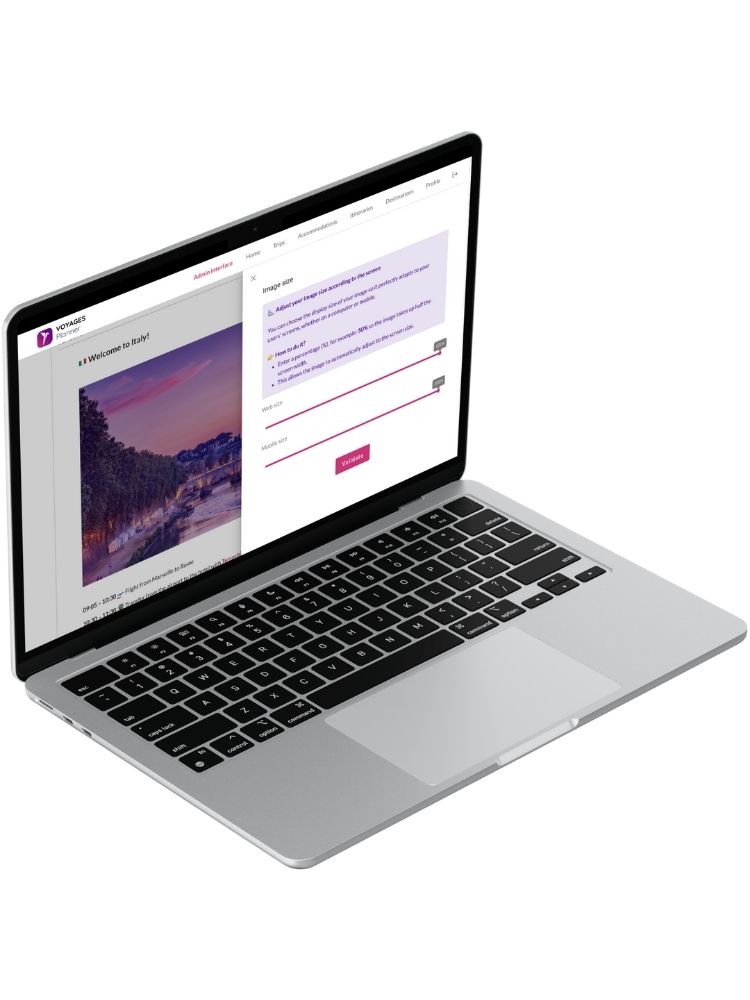
Voyages Planner interface laptop – customize your digital travel itinerary for clients

Palette icon representing customization options

Customizable: create itineraries that match your brand with logo, color, banner and welcome message

Globe icon representing multilingual interface

Multilingual: offer itineraries available in English, French and Spanish

Group icon representing multi-user access

Multi-user access: collaborate with your team on the same trip

Book icon representing content library for reuse

Content library: easily reuse your texts, images, links and layouts

Document icon with copy symbol representing itinerary duplication

Itinerary duplication: recreate a trip in one click and save time

Layout icon representing customizable page structure

Custom layout: create personalized itineraries with sections, columns, titles and visuals

Link icon representing simplified sharing options

Simplified sharing: share itineraries easily through a personalized email and secure link

PDF icon representing export and print functionality

PDF export: share or print itineraries easily based on your clients’ needs